Solution
School Administration
Administrators see individual incidents, but rarely the patterns across classes and staff.
Why it matters
Clear roles, school-level oversight and controlled access make it easier to support staff and students consistently.
How EduSphere helps
TrackStudents gives administrators a school workspace with staff roles, schoolwide patterns and reports. It also provides school membership for supported PaperGrade and SkillProof access. Each application keeps its own administration.
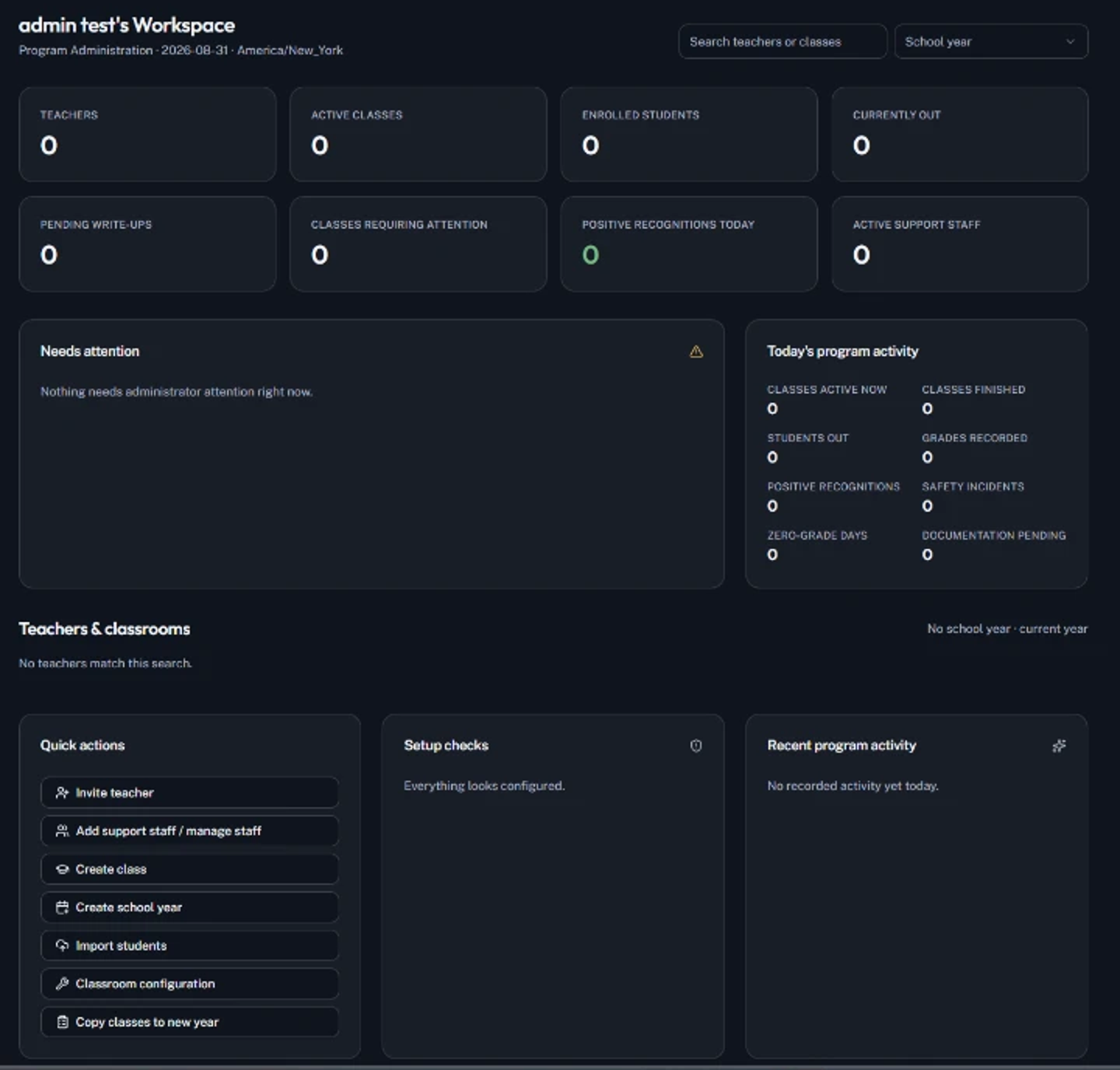
Example school workflow
Example: an assistant principal (fictional)
- 1.Creates the school workspace and invites staff with roles.
- 2.Reviews schoolwide documentation trends each week.
- 3.Opens a student's cross-class timeline before a support meeting.
- 4.Confirms eligible teachers can use connected PaperGrade and SkillProof access.
Illustration only. Names are fictional.
Key capabilities
- ✓School workspace with Administrator, Teacher, IA, Learning Support and PCA roles
- ✓Schoolwide patterns and trends
- ✓Cross-class student timelines
- ✓Institutional membership for supported connected applications
Administrative considerations
- There is no single administrative console for all four applications
- SafeStudy Web is administered separately
- No single sign-on or shared student database across all four apps
FAQ
Common questions
No. TrackStudents administration covers TrackStudents and supported connected access. Each application keeps its own administration.